How it works

From a roster to real matches.

The whole evening in eight steps, from building the roster to sending results. Setup happens before the doors open, and matching happens when you decide it is time, not on a timer.

Before the night

1

Build the roster

Add attendees by hand, import a CSV, or connect Eventbrite and pull your event and attendee list straight in.

2

Attendees set themselves up

A secure link lets each person add a photo, kept hidden until a mutual match, and give real CASL-compliant consent themselves, all before the night.

3

Invite the right people

Pull attendees near a venue from your growing, cross-event database, so every room fills with people who are likely to actually show up.

On the night

4

Check people in

You check attendees in yourself. A link goes out automatically the moment they are, straight to their selection screen. No code to type, no app to install.

5

They mark the room

First name, last initial, nametag number, no photos. A private note on anyone they match with comes back with the results, so a name still means something days later.

6

Watch it fill in

The submitted count updates live as picks come in, so you always know exactly where you stand as the night winds down.

After the last round

7

Review before you send

See the actual matched pairs before anyone gets an email.

8

Mutual matches only

Two people who both said yes get each other's name, phone number and photo, plus whatever note they wrote for themselves, so they remember what they actually talked about.
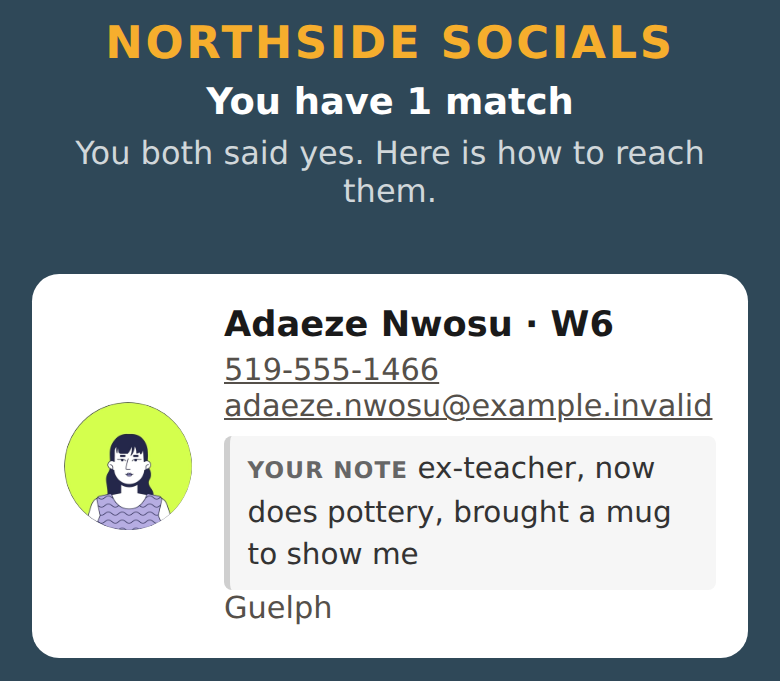
A results screen from the MixerApp demo account: the organizer's own name and colours at the top, one mutual match, with her photo, phone number and the private note the viewer wrote about her.
A real results screen, in the demo account's own branding. The note is the viewer’s own.

Things it will not do

Worth saying plainly, because the opposite is usually implied.

Book a demo See pricing